Please download and import the provided export configurations which will help with putting layers into the proper textures.
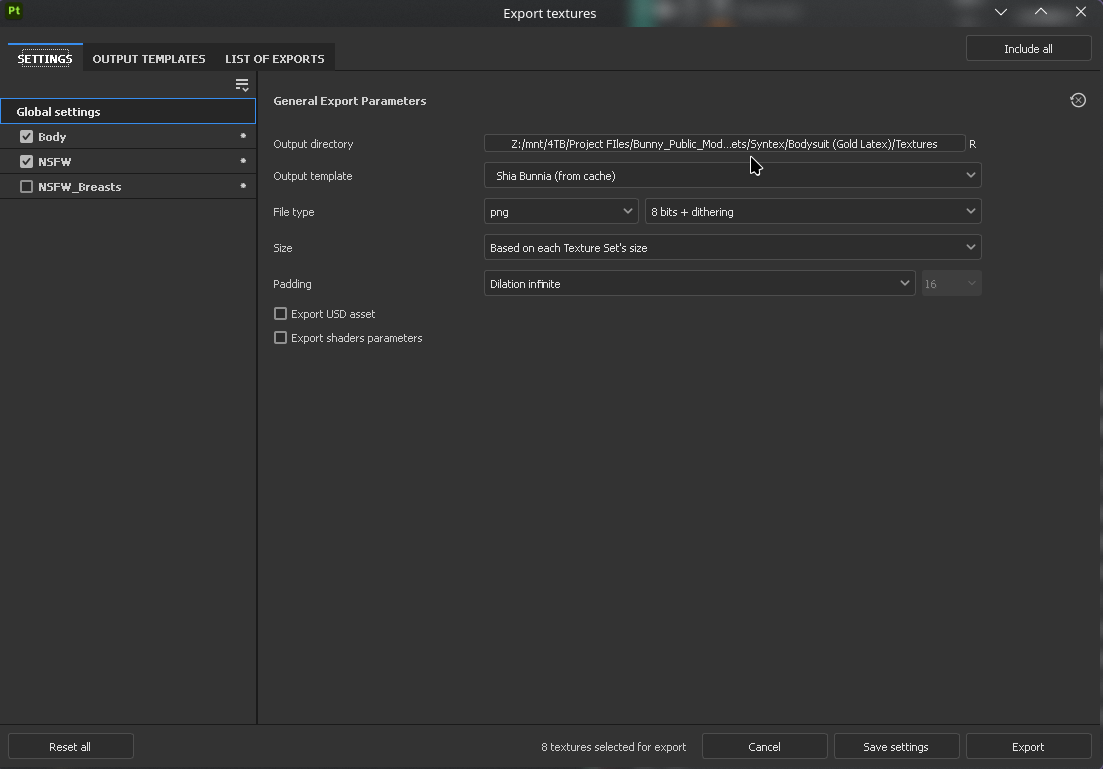
Please set your global settings as below, replace the Output Directory with the directory to your textures in unity.
You will find the textures folder in your project, under Shiapra > Bunnia NSFW > Assets > Textures
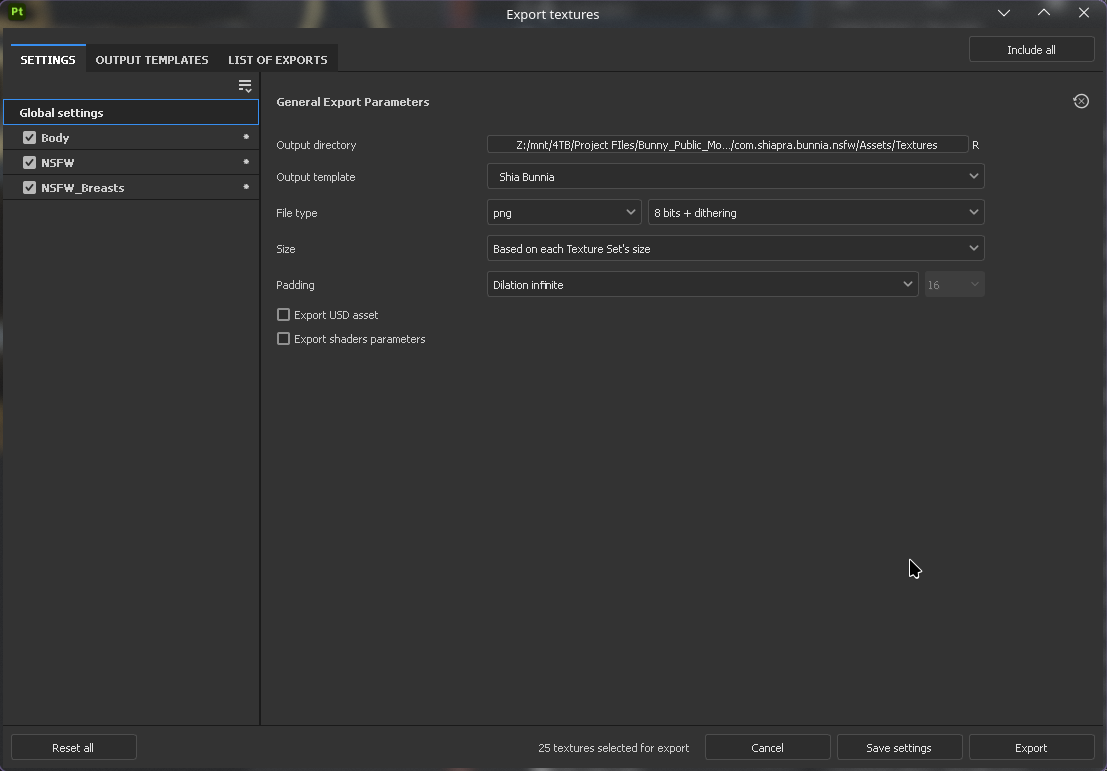
Make sure to have all the texture sets Checked on the left side, so they’re all exported.
Body Settings
Select the Output Template Shia Bunnia Body NSFW
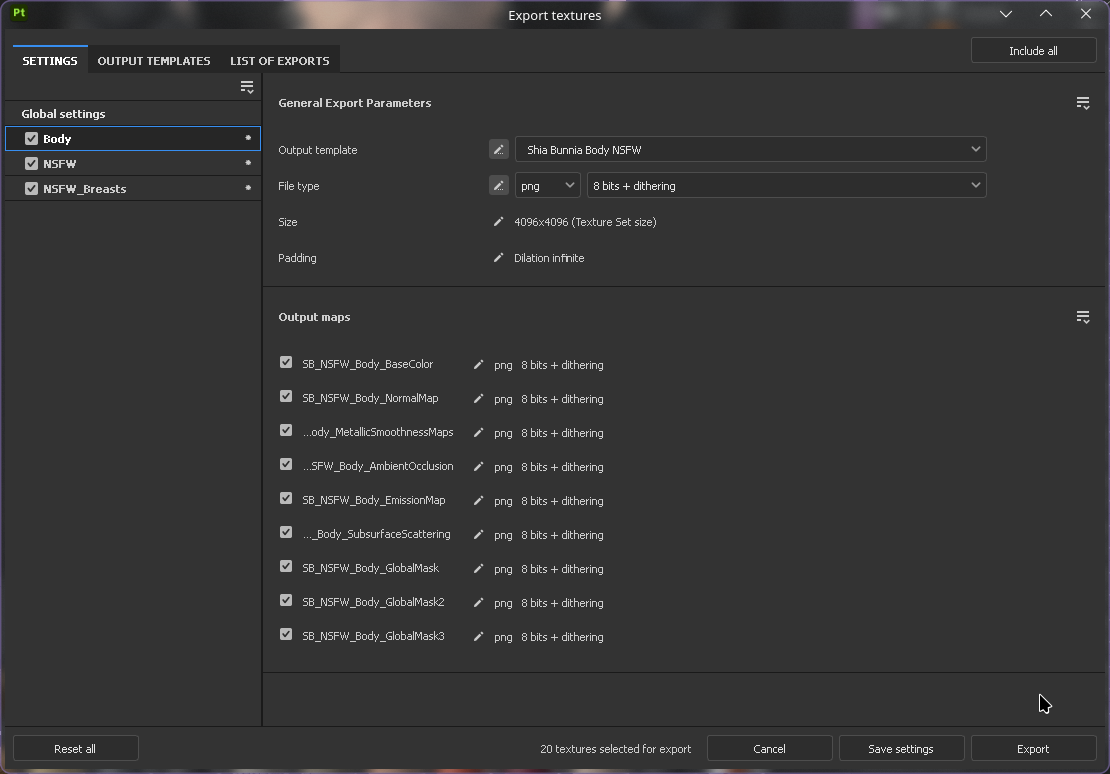
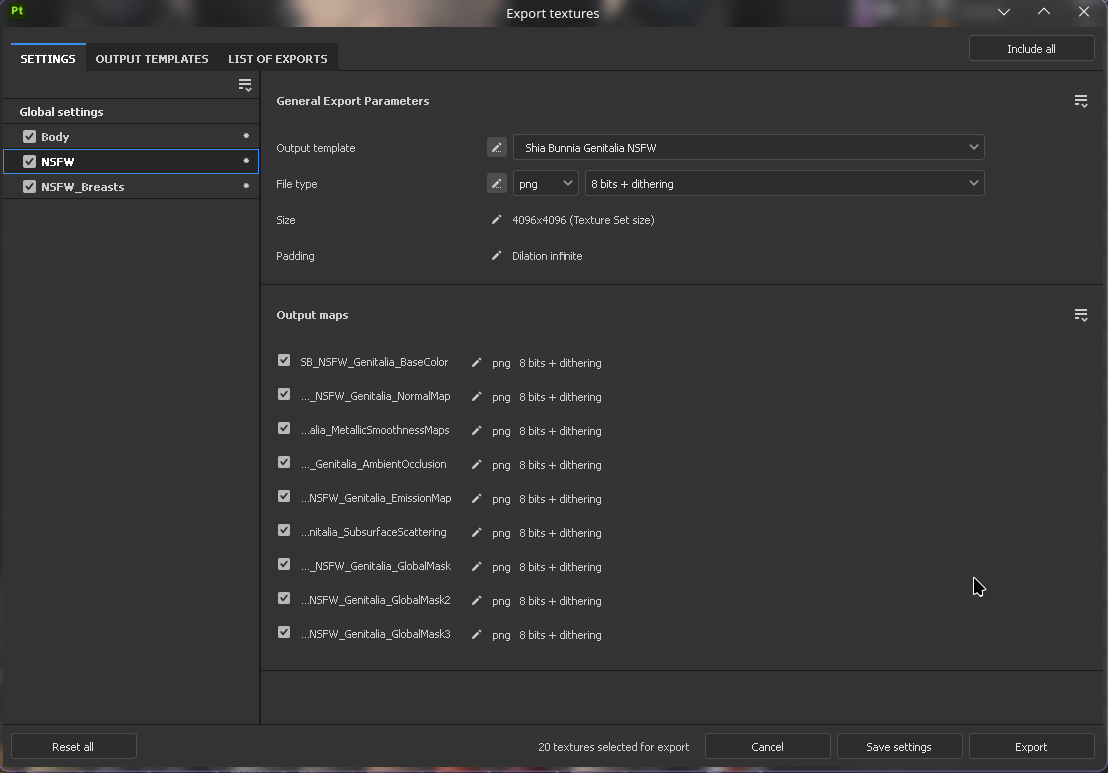
NSFW Settings
Select the Output Template Shia Bunnia Genitala NSFW
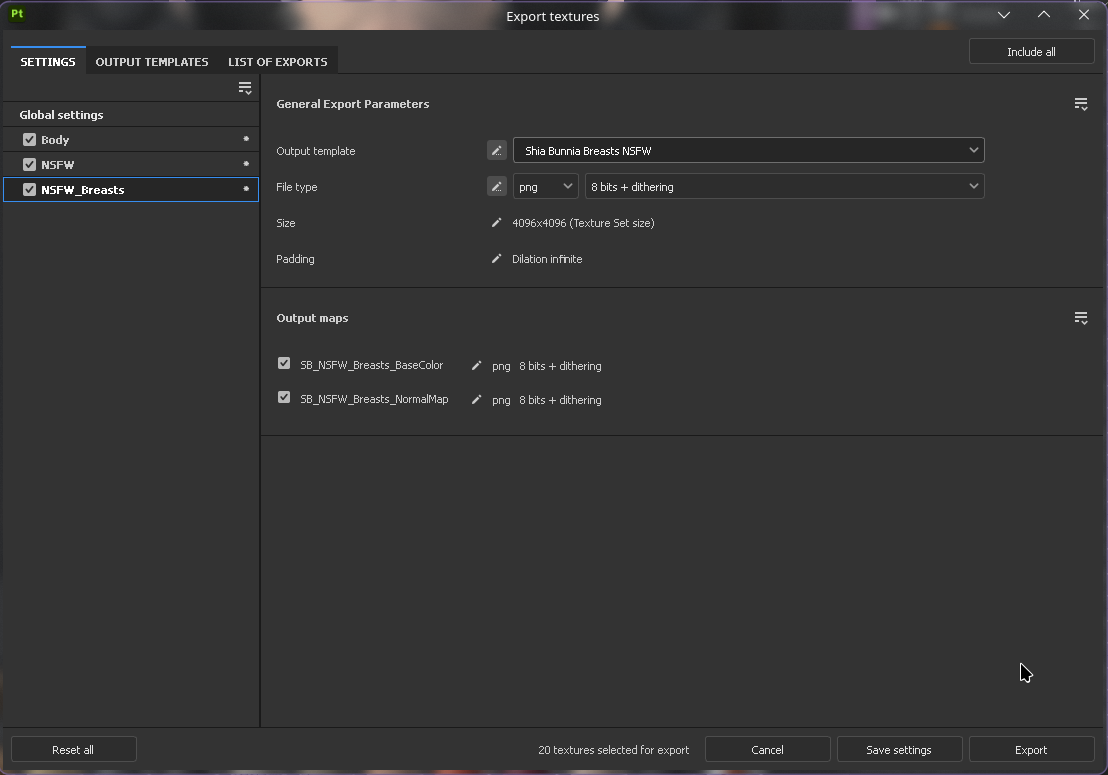
Breasts Settings
Select the Output Template Shia Bunnia Breasts NSFW
Syntex
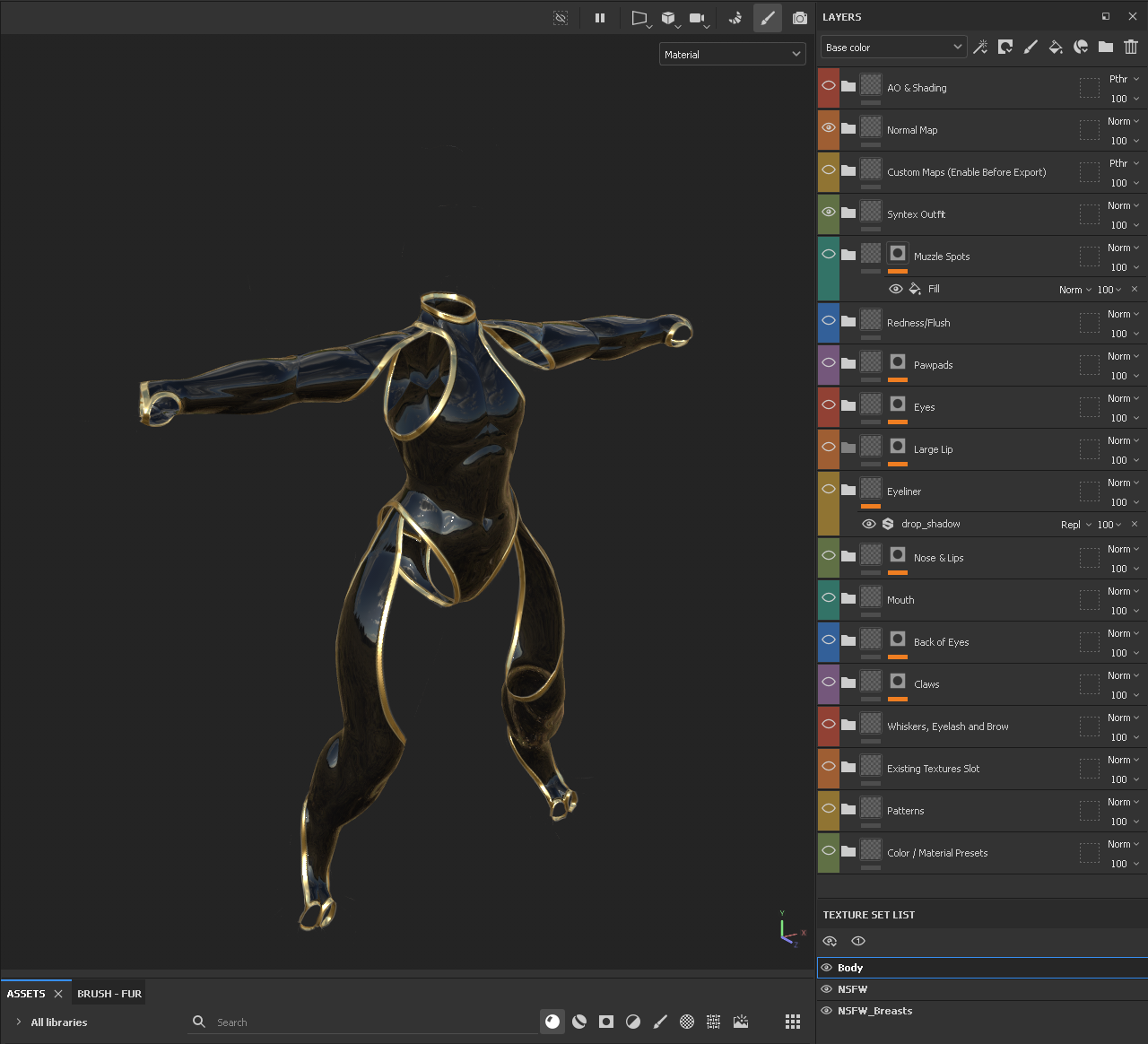
Make sure to have Only the Syntex folder and Normal Map folder Enabled. + Any additional layers you may want to affect the Syntex suit on both the Body and NSFW materials.
Your project should look something like this upon export.
Change the Output Directory to Shiapra > Bunnia NSFW > Assets > Syntex > BODYSUIT > Textures Replacing the Bodysuit folder with whatever bodysuit you wish to overwrite, such as Bodysuit (Latex)
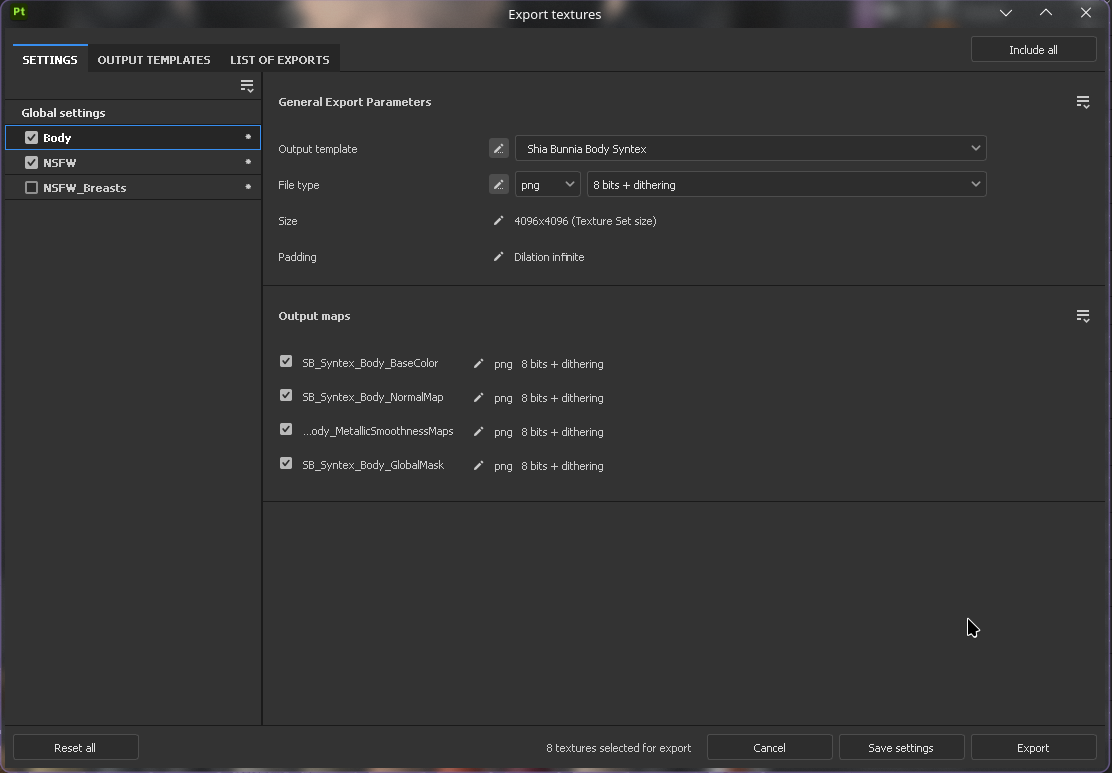
Body Material
Select the Output Template Shia Bunnia Body Syntex
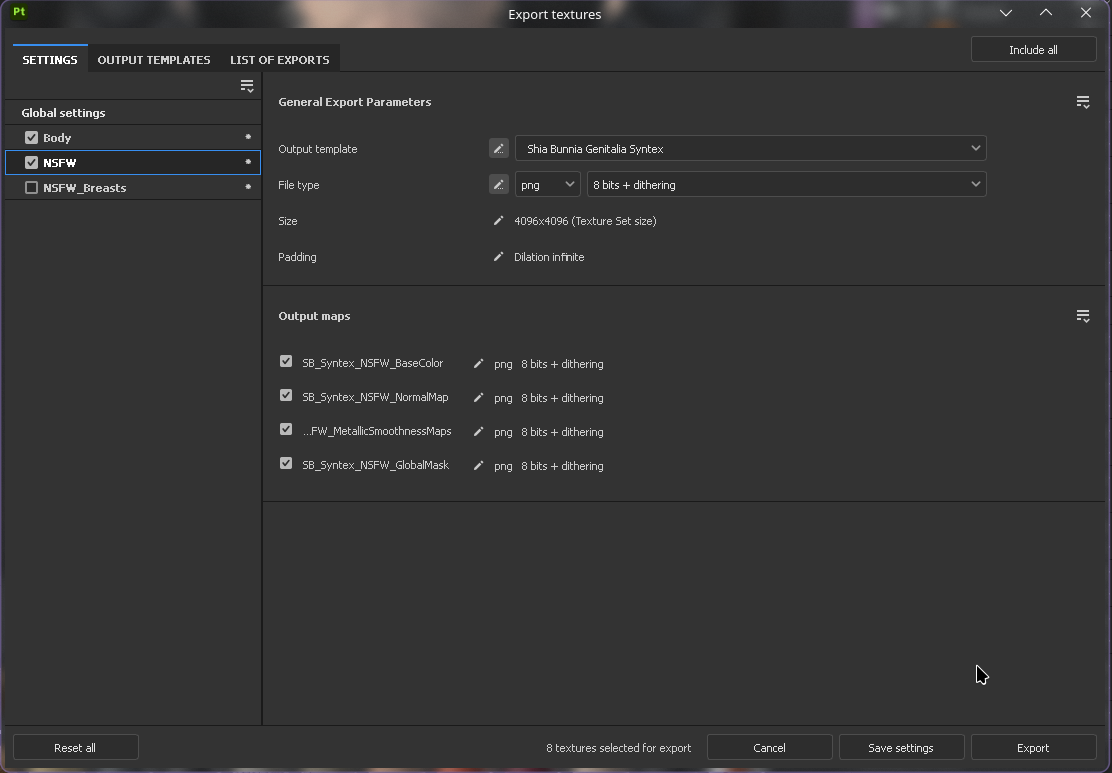
NSFW Material
Select the Output Template Shia Bunnia Genitalia Syntex
Breasts Material
This is for exporting the Syntex suit only!
The breasts material should be disabled when exporting the Syntex suit, as it is not used in the Syntex materials.
After Exporting
Once you’ve exported your textures, if you’ve exported them to the proper folders, you should see your avatar update automatically in unity!